What Is SAP Business One Integration?
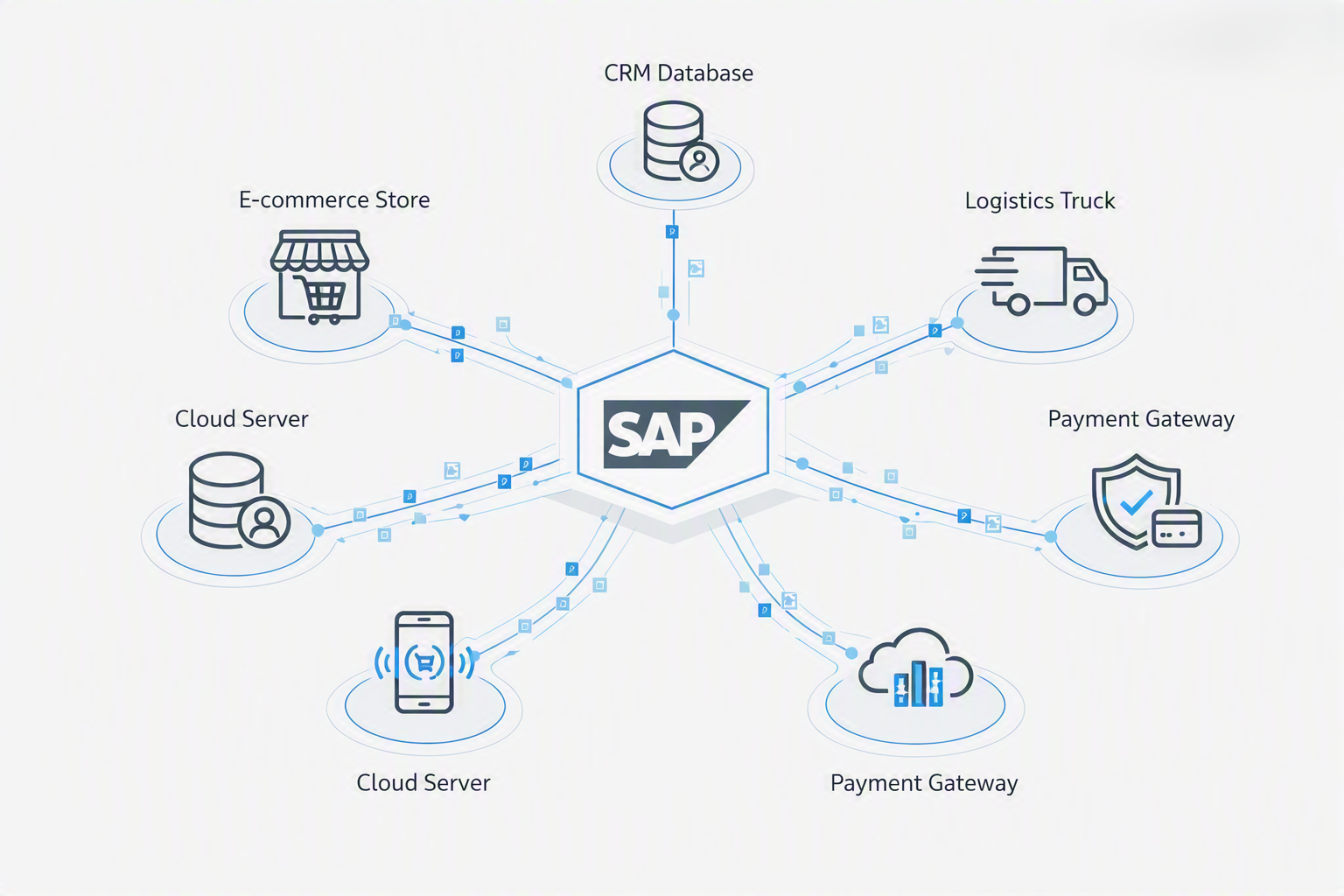
SAP Business One (SAP B1) is a comprehensive ERP platform built for small and mid-sized enterprises. Out of the box, it manages finance, sales, purchasing, inventory, and manufacturing — but almost every business needs it to talk to other systems: e-commerce stores, CRMs, logistics platforms, payment gateways, and custom portals.
Integration means building a consistent, automated data bridge between SAP B1 and those external systems. When done right, it eliminates manual data entry, reduces errors, and gives your team real-time visibility across every platform.
Key insight: The most successful SAP B1 implementations we've seen treat integration as a first-class concern — not an afterthought. Planning your integration setup before go-live saves months of rework.
SAP B1 Integration Options: A Comparison
SAP Business One provides several official integration channels, each suited to different use cases. Understanding which one to use is the first critical decision in any integration project.
1. The Service Layer (Recommended)
The Service Layer is SAP's modern, RESTful API for SAP Business One. Introduced in SAP B1 9.0, it exposes virtually all B1 business objects — Business Partners, Sales Orders, Invoices, Items, Payments — as OData-compatible REST endpoints. It runs as a separate service on the SAP B1 server and communicates via HTTPS.
Why it's the recommended approach: It's stateless, works over HTTP (firewall-friendly), requires no SAP DI Client installation, and can be called from any language — C#, Python, Node.js, PHP, Java. This makes it the best choice for building cloud-hosted middleware.
2. The DI API (Data Interface API)
The DI API is a COM-based SDK that provides deep programmatic access to SAP B1's business objects. It runs on the same Windows machine as the SAP B1 client and is used for building desktop Add-Ons and more complex business logic that requires tight coupling with the SAP B1 UI.
Best for: Complex Add-On development, automated posting jobs running on the SAP server, and scenarios requiring the full depth of SAP B1's object model.
3. Direct OData Queries
SAP B1 also exposes an OData feed (via the Service Layer) that allows querying business objects using standard OData URL conventions — including $filter, $select, $orderby, and $top/$skip for pagination. This is ideal for read-heavy integrations like dashboards and reports.
Need Help Designing Your SAP B1 Integration?
Our team has built integrations for WooCommerce, Shopify, custom CRMs, and enterprise logistics platforms. Let's scope your project.
Request a Free 30-Minute Business Operations ReviewMiddleware Architecture: How to Structure Your Integration
Direct point-to-point connections between SAP B1 and external systems are fragile. The industry best practice is to introduce a middleware layer — a dedicated application that sits between SAP B1 and all external platforms, handling communication, transformation, and error management.
What Middleware Should Handle
- Authentication management — maintaining session tokens with the SAP B1 Service Layer
- Data mapping — translating between external system data formats and SAP B1 object structures
- Error handling & retries — catching failed API calls and retrying with exponential backoff
- Queue management — processing messages in order to prevent race conditions
- Logging & alerting — recording all transactions for audit and debugging purposes
- Idempotency — ensuring duplicate events don't create duplicate records in SAP B1
Always design your middleware to be idempotent. If a webhook fires twice for the same order, your integration should detect the duplicate and skip it — not create two sales orders in SAP B1.
Authentication with the Service Layer
The SAP B1 Service Layer uses session-based authentication. Every integration must first POST to the /Login endpoint with a CompanyDB, UserName, and Password, which returns a session cookie (B1SESSION). This cookie must be included in all subsequent API requests.
Sessions expire after a configured timeout (typically 30 minutes of inactivity). A production-grade middleware implementation should handle session renewal automatically — detecting 401 Unauthorized responses and re-authenticating transparently before retrying the original request.
Common Integration Patterns
Based on our experience building integrations for business clients across the US, UK, and UAE, here are the most frequently implemented integration flows:
- Order-to-SAP: E-commerce orders automatically create Sales Orders in SAP B1, with customer lookup or creation as Business Partners.
- Inventory sync: SAP B1 stock levels are published to e-commerce platforms and marketplace listings in real time.
- Invoice-to-portal: Approved SAP B1 AR Invoices are automatically pushed to a customer portal for viewing and payment.
- Payment reconciliation: Incoming payments from payment gateways are automatically applied to SAP B1 Incoming Payments.
- Shipment tracking: Logistics provider tracking numbers are written back to SAP B1 delivery documents.
Integration Best Practices
After building dozens of SAP B1 integrations, these are the non-negotiable practices our team follows on every project:
- Always use the Service Layer over direct database access — direct SQL writes bypass SAP B1's business logic and validations
- Store raw payloads before processing them — this enables replay and debugging without needing to reproduce conditions
- Test with realistic data volumes, not just happy-path scenarios
- Use dedicated SAP B1 integration user accounts with minimum necessary permissions
- Document your field mapping table — which external field maps to which SAP B1 field and why
Next Steps
If you're planning an SAP B1 integration project, the next article in this series covers the SAP B1 Service Layer API in depth — including endpoint reference, authentication code examples, and query patterns.
For e-commerce teams, we have a dedicated step-by-step guide on WooCommerce and SAP B1 integration.